


Author: The Fantasy Fusion AI Team

  • Prompt Engineering for AI Animation: Turning Simple Picture Prompts Into Emotional Cinematic Scenes

    (Click to enlarge image on smaller devices)

    I’ve been spending a lot of time with VideoExpress lately. It feels freeing to work with a tool that lets me generate as much as I want without worrying about credits running out. When you create every day, that kind of freedom changes everything. AI can be unpredictable, and sometimes it hands you something magical. Other times you use picture prompts that gives you an image that feels like a dream (or nightmare) you can’t quite explain. Instead of fighting that unpredictability, I like using it as part of the creative process and guide it with clear cinematic direction.

    Tools like VideoExpress, Hailou AI, and Leonardo AI now offer built-in prompt enhancers, but I still prefer crafting my picture prompts in CHATGPT first. It gives me room to explore mood, tone, lighting, and emotional rhythm before bringing the idea into whatever AI animation software I’m using. A prompt with intention hits differently, especially when your goal is creating AI scenes that feel like tiny films instead of random outputs from an art inspiration generator. No one likes AI slop. 

    The approach I use is simple and works for portraits, fantasy characters, creatures, landscapes, or anything you want to bring to life — whether you’re experimenting with picture prompts or building a consistent AI FANTASY ART GALLERY:

    Subject + Environment + Lighting + Atmosphere + Motion Intention

    This structure transforms your ideas into miniature cinematic stories. It also sets the foundation for more expressive AI generated animation. Below are three fully original prompt engineering examples written for 9:16 vertical video — perfect for TikTok, Reels, Shorts, or animated blog content.

    Why AI Needs Clear Direction

    AI models blend visual patterns from huge datasets. When your picture prompts are vague, the model fills in the gaps with guesses, which is why simple picture prompts often feel disconnected from what you imagined.

    Once you guide these pieces, unpredictability becomes creativity instead of chaos.
    This is also how you get closer to some of the best AI image results without relying on luck.

    Clear, intentional prompting helps the AI understand:

    • What matters in the scene
    • What the emotional tone should be
    • How the light behaves
    • How the camera should move

    Full Disclosure:

    Parts of this blog post were written with the help of AI, and I refined everything with my own experience, personal voice, and hands-on testing. I also checked the content for plagiarism to make sure the explanations and structure were fully my own.

    The prompts included here are not “original writing” in the literary sense — they are functional AI instructions created with the help of ChatGPT and shaped through real-world experimenting inside VideoExpress. Their wording often overlaps with standard cinematic terminology used across many tools, which is normal for prompt engineering.

    1. Photorealistic Portrait in 9:16
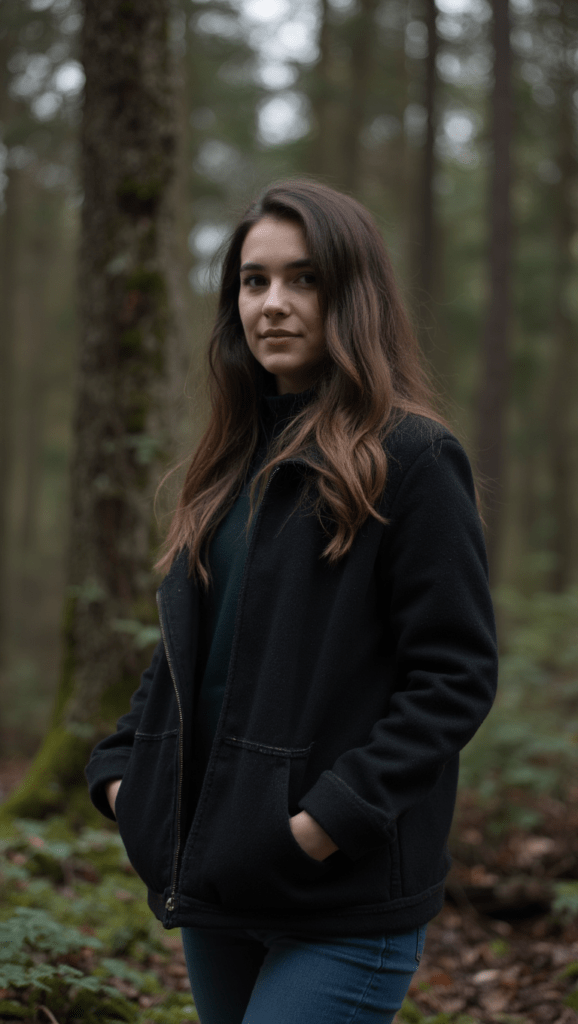
    A natural portrait of a woman standing in a quiet forest, used to demonstrate how real-life references support storytelling AI and picture prompts.

    Mediocre Prompt

    “A woman in the forest”
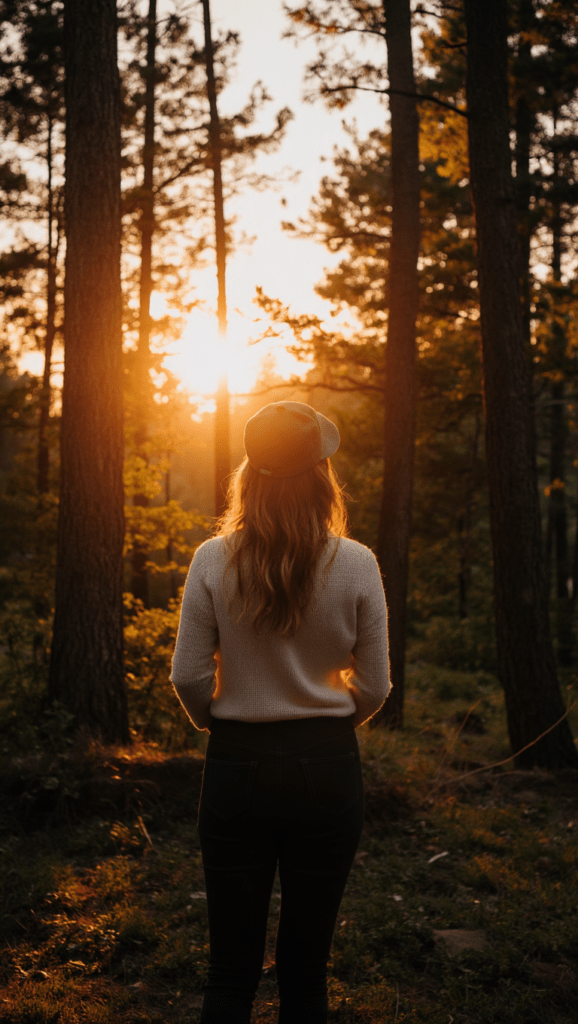
    A woman watching the sunset through tall trees, included as part of an art inspiration generator section for creating AI scenes with emotion and atmosphere.

    Better Prompt

    “A woman standing in a forest at sunset”

    Best Prompt

    Image:

    “A woman, in photorealistic style, walks along a forest trail with tall pines above her, shadows draping across the ground. She slows her pace as a bit of warm light catches her face. The camera begins near her boots and lifts in a smooth rise, revealing the height of the trees as they settle naturally into a vertical 9:16 frame.”

    Video:

    A woman, in photorealistic style, walks along a quiet forest trail. The camera starts low, focusing on her feet stepping rhythmically on the path, kicking up small puffs of dust. As she walks, the camera smoothly tilts upward in one continuous, slow motion, revealing her legs in denim jeans, then her torso in a casual tee. Her long brown hair sways gently as she glances around, a soft smile playing on her lips. The camera continues its rise, ending high among the tops of the towering pine trees as their needles sway slightly in the breeze. Vertical 9:16 view with gentle camera movement.”

    2. Pixar-Style Magic Character in 9:16

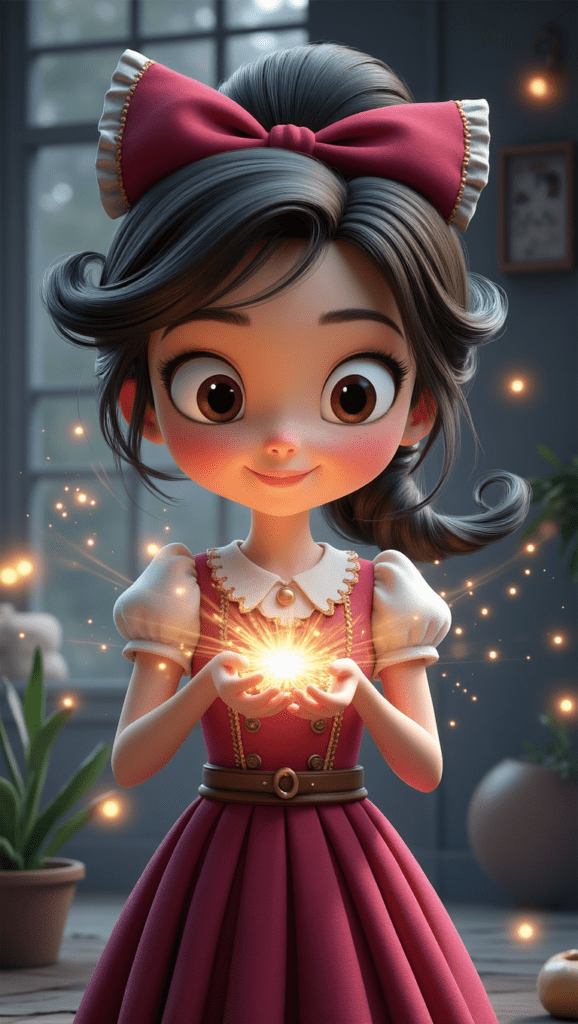
    A Pixar-style girl holding a small magical light, an example of how picture prompts influence the best AI image results for storytelling AI.

    Mediocre Prompt

    “A girl casting magic”
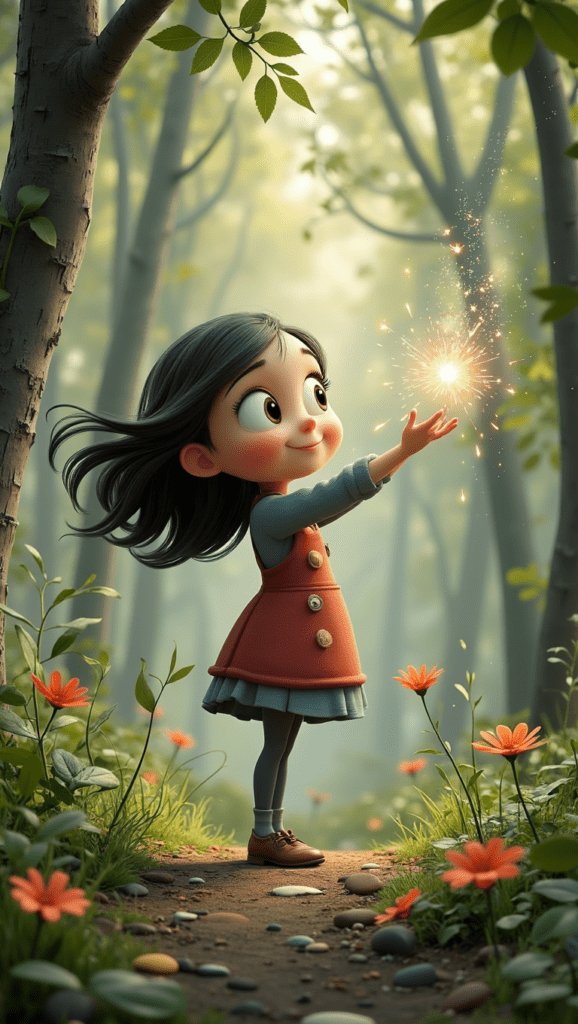
    A stylized girl conjuring soft golden magic in a colorful forest, showing how prompt engineering examples shape expressive AI animation software outputs.

    Better Prompt

    “A girl casting magic in a colourful forest”

    Best Prompt

    Image:

    “A young mage illustrated in a playful Pixar-inspired style stands in a sunlit clearing where loose leaves drift lazily through warm air. A sphere of soft glowing magic gathers between her hands, sending tiny shimmering flecks upward. The camera sweeps in from the right, catching her delighted expression as the scene settles into a tall 9:16 frame.”

    Video:

    “Pixar animation style, a cute young girl with dark curly hair tied in a high high ponytail, wearing a tan witch hat, carefully holding a magical glowing orb in her open palms. She is dressed in a red coat over a green dress, smiling softly as she gazes at the light. Leaves gently drift down around her. Her ponytail bounces slightly as she breathes. The magical light flickers and pulses with energy. Soft, diffused sunlight filters through the trees, creating dappled shadows. The camera slowly dollies forward, tightening the focus on the magical light in her hands.”

    3. Tropical Beach in 9:16

    A warm tropical beach at sunset with glowing light on the water, used in the article to illustrate environmental picture prompts for creating AI landscapes.

    Mediocre Prompt

    “A tropical beach at sunrise”

    A dreamy coastal sunset with soft pink tones and gentle waves, part of an AI images gallery demonstrating atmospheric scene prompting.

    Better Prompt

    “A tropical sunrise with soft peach and lavender tones in the sky, gentle waves catching subtle warm highlights, palms swaying lightly.”

    Best Prompt

    Image:

    “From a gentle aerial angle above the shoreline, a bright tropical beach stretches into view. The water closest to shore glows a soft mint-cyan, deepening into rich turquoise as waves curl and break over smooth sand. Palm trees lean toward the coast, casting long morning shadows that sweep diagonally across the beach. The perspective sits high enough to feel airborne but tilted just enough to show the curve of the coastline, giving the scene depth and a dreamy, sunlit atmosphere.”

    Video:

    “The camera glides forward at an angled aerial tilt, traveling parallel to the shoreline. It looks down toward the sand as waves roll in, leaving bright foam trails that fade back into turquoise water. The sunlight flickers across shifting reflections on the surface as the camera moves. Palm trees sway gently on the right, their shadows stretching and shifting across the sand. The motion is smooth and cinematic, keeping the angled perspective while drifting along the coast. Subtle wind rustles the palm leaves. The waves ripple realistically. Tall 9:16 frame.

    How I Refine Prompts Using Images

    Even though that little equation (Subject + Environment + Lighting + Atmosphere + Motion Intention) gives you a strong foundation, I still refine almost every prompt with ChatGPT. It elevates your work, but you still have to guide the moment.You still have to shape the wording, try different angles, and work with the AI instead of assuming it will land perfectly on the first try.

    Most of the time, it’s easier for me to just upload pictures and let ChatGPT analyze what’s working and what isn’t. Through that back-and-forth, I’ve built a whole library of characters — some wonderfully consistent, others delightfully chaotic — as we “sculpt” the best generative AI picture we can. It’s an iterative process, and honestly, that’s part of what makes this whole workflow fun (but sometimes frustrating).

    How VideoExpress Interprets Prompts

    Think of the image prompt as your starting point. It sets the mood, lighting, environment, and intention — basically the backbone of your scene. But VideoExpress also has its own prompt helper, and that little assistant will sometimes adjust or reinterpret your words when it generates the animation. That’s why the image prompt and the video prompt don’t always match exactly.

    And honestly? Sometimes the helper actually improves things. It adds little motion cues, refines the phrasing, or takes a cinematic angle you didn’t even think of. Other times, it veers off in a direction you weren’t expecting. This is where you start learning how to work with the software instead of trying to force it into a box. AI is unpredictable, but every so often VideoExpress uses that unpredictability to surprise you in a good way.

    A Quick Reality Check About AI Unpredictability

    Even with strong picture prompts and clear direction, AI can still be… AI. Some days everything aligns and you get exactly the cinematic moment you imagined. Other days the model decides to give you a surreal dream that makes you wonder if it’s playing a trick on you.

    In VideoExpress specifically, negative prompts are hit or miss. Adding “no extra limbs” or “no strange hands” can absolutely help — but sometimes removing negatives entirely gets you better results. You never know. It’s unpredictable like that. You’re basically learning a new visual language together.

    And while VideoExpress already has great tools, some features (like inpainting) are still being refined. But after spending a lot of time inside Leonardo AI and Hailou AI, it becomes clear that this isn’t a VideoExpress issue — it’s just where ai generated animation is right now. The entire field is evolving at hyper-speed, and some quirks are simply part of the process of experimenting with something so new.

    The upside is that with VideoExpress, you’re not burning through credits every time you revise a prompt or retry a scene. You can experiment freely without feeling punished for learning, and honestly, that freedom is what makes the frustrations tolerable. When a scene finally clicks, it feels worth every odd output along the way.

    VideoExpress: Which Plan Makes Sense for You?

    Because I use VideoExpress for most of my animation work, here’s a simple breakdown of the two plans for you.

    Basic Plan — $49 One-Time

    Short version:

    Great for beginners and hobbyists. Be warned though that if you decide to upgrade later, you’re not getting a discount on the full version.

    All-Access Plan — $179 One-Time

    Short version:

    A full creative studio for storytellers, YouTubers, animators, and anyone who wants consistent characters across multiple videos.

    Exporting: 16:9 or 9:16 Only

    VideoExpress exports in just two orientations:

    • 16:9 landscape (perfect for YouTube)
    • 9:16 vertical (ideal for TikTok + Instagram Reels)

    It actually simplifies your workflow because you never have to guess which format to use — you just pick based on where the video will live.

    I Prefer to Edit My Final Videos in CapCut

    VideoExpress includes its own built-in video editor, but I still finish my videos in CapCut. It’s the editor I feel fastest and most comfortable with, especially for text, timing, transitions, effects, music, pacing, and final polish.

    So my workflow looks like this:

    VideoExpress = cinematic motion + animation engine
    CapCut = final editing + cleanup

    And even with that split workflow, I genuinely love using VideoExpress as the starting point for all my animations.

    Try the Tools I Use and Love

    If you want to create the same style of cinematic scenes shown in this post, here’s my link to the exact tool I use:

    👉 VideoExpress:
    https://www.fantasyfusionai.com/go/videoexpress

    👉 Capcut:
    https://www.fantasyfusionai.com/go/capcut

    Affiliate Note:

    This article includes affiliate links. When you make a purchase using one of those links, I may earn a small commission. There’s no extra cost to you, and I only recommend software I actively use and trust.

    Full disclosure page:
    https://www.fantasyfusionai.com/affiliate-disclosure/

    Check out our content on:

    Ready to level up your picture prompts and writing with a little AI magic?  Visit our homepage to explore tools, tips, and inspiration designed to help storytellers like you bring their worlds to life.

  • AI Book Writer for Fantasy: 6 Elite Tools for World Building

    Fantasy world building (often called worldbuilding) is one of the most creative and complex parts of fiction writing. Whether you’re designing magical systems, building cultures, or plotting epic character arcs, the right AI book writer tools can dramatically speed up the process without replacing your imagination.

    This guide breaks down the best AI book writer for fantasy world building and fiction writing, showing how each platform supports creativity, structure, and long-form storytelling for authors. Each AI book writer for fantasy in this list supports a different stage of world building, from early lore creation to final manuscript polish.

    1. ChatGPT as an AI Book Writer for Fantasy World Building

    OpenAI’s ChatGPT serves as a versatile AI book writer for fantasy, aiding in brainstorming, outlining, and even crafting entire fantasy cultures.

    Key Features for Fantasy Writers:

    • Idea Generation: Generate names, plot lines, and magical items effortlessly.
    • World-Building Support: Design fantasy realms, cities, and governmental structures.
    • Dialogue and Emotional Arcs: Craft compelling scenes and genre-appropriate conversations.
    • Language Construction: Develop grammar and vocabulary for fictional languages.
    • Visual World-Building: Utilize GPT-4o’s image generation capabilities to create character portraits, maps, and magical artifacts. 

    Sample Prompt:

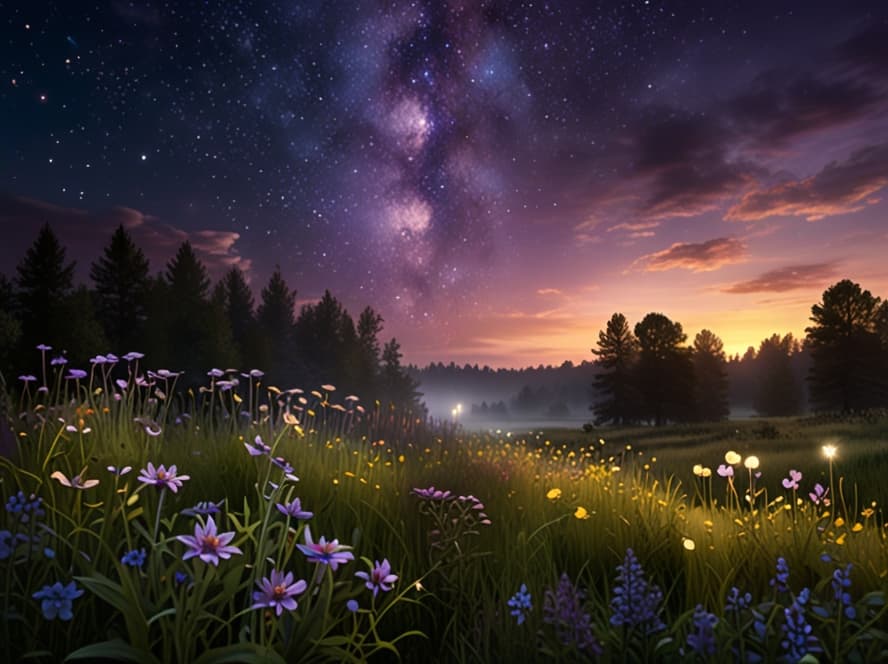
    “Enchanted meadows bloom with glowing flowers, while golden fireflies swirl beneath a sky brushed in lilac, sapphire, and rose.”

    (Click to enlarge image on smaller devices)

    The final output in Leonardo AI can differ significantly based on the model you choose. CHATGPT can generate rich backstories, societal frameworks, and evocative descriptions.

    Pricing:

    • Free Plan: Free access with basic capabilities and usage limits; exact model access may vary.
    • ChatGPT Plus: ~$20 USD/month with access to more advanced models (e.g., GPT-4o or GPT-5 series), faster responses, higher usage limits, and priority access.
    • ChatGPT Pro: ~$200 USD/month, aimed at professionals with even higher limits and advanced capabilities.
    • OpenAI also offers Team, Business and Enterprise tiers with custom pricing and additional enterprise features.

    Since plans aren’t static, it’s best to confirm current pricing and features on the provider’s own website.

    Why It’s Worth It:

    Fast, flexible, and continually evolving, ChatGPT is ideal for ideation, drafting, and visual inspiration—a top pick for instant world-building. Check out CHATGPT for more information.

    2. Sudowrite: AI Writing Assistant for Fantasy Authors and Fiction Writers

    Sudowrite is an AI writing assistant made specifically for authors of fiction. It runs entirely in your browser and works smoothly alongside tools like Google Docs via copy and paste.

    Key Features for Fantasy Authors:

    • Scene & Plot Expansion: Advance your story when you encounter writer’s block.
    • Sense of Place: Enhance descriptions with sensory details to immerse readers.
    • Brainstorming Tools: Invent mythical creatures, spells, or prophecies.
    • Character Development: Create well-defined characters with rich backstories and internal struggles.

    Example Use Case:

    Struggling to write a captivating duel? With just a few clicks, Sudowrite can sharpen your descriptions, heighten emotion, and keep the pacing tight.

    Pricing:

    • Hobby & Student Plan: $10 USD/month (billed annually) or $19 USD/month (billed monthly), offering 225,000 credits/month.
    • Professional Plan: $22 USD/month (billed annually) or $29 USD/month (billed monthly), offering 1,000,000 credits/month.
    • Max Plan: $44 USD/month (billed annually) or $59 USD/month (billed monthly), offering 2,000,000 credits/month with credits rolling over month-to-month.

    Since plans aren’t static, it’s best to confirm current pricing and features on the provider’s own website.

    Why It’s Worth It:

    Sudowrite acts as a genuine co-author, especially beneficial when you’re navigating the complexities of your manuscript. Check out SUDOWRITE today.

    3. Jasper AI for Fantasy Writing, Blogging, and Story Development

    Originally gaining traction as a marketing copywriting tool, Jasper has expanded into creative writing, offering storytelling hooks and blog posts tailored to fantasy topics.

    Key Features for Fantasy Authors:

    • Story Starters & Hooks: Kickstart your narratives with compelling openings.
    • Character Bios and Arcs: Develop detailed character profiles and progression arcs.
    • Title Generators: Create captivating titles for your work.
    • SEO Blog Writing: Produce blog content optimized for search engines.

    Example Use Case:

    Craft SEO-friendly blogs like ‘Top 10 Magical Creatures in Dark Fantasy’ or outline your book’s back cover blurb before publishing.

    Pricing:

    • Creator Plan: No longer offered, but there is a 7 day free trial
    • Pro Plan: $59 USD/month (billed annually).
    • Business Plan: Custom pricing.

    Since plans aren’t static, it’s best to confirm current pricing and features on the provider’s own website.

    Why It’s Worth It:

    Jasper facilitates a smooth transition between storytelling and promotional content, making it a solid option for authors who also engage in blogging. Check out JASPER today.

    4. Grammarly for Polishing Fantasy Prose and AI-Assisted Writing

    Grammarly is a widely-used AI-powered editing tool, trusted by writers across genres—including fantasy. It ensures your prose is clean, consistent, and immersive, without compromising your unique narrative voice.

    Key Features for Fantasy Authors:

    • Grammar & Punctuation Checks: Maintain clarity and readability in your elaborate prose.
    • Style & Tone Suggestions: Ensure consistency in narrative voice and fantasy terminology.
    • Plagiarism Detection (Premium): Verify the originality of your work, especially when integrating AI-generated text.

    Example Use Case:

    Polish battle scenes or dialogue to enhance their impact and catch any inconsistencies or misspellings related to your fantasy world.

    Pricing:

    • Free Plan: Basic grammar and spelling checker.
    • Premium Plan: $12 USD/month (billed annually) or $30 USD/month (billed monthly).
    • Enterprise Plan: Custom pricing.

    Since plans aren’t static, it’s best to confirm current pricing and features on the provider’s own website.

    Why It’s Worth It:

    A refined manuscript significantly enhances reader engagement, especially crucial for self-publishing authors. Grammarly helps preserve your tone while ensuring clarity. Check out GRAMMARLY today.

    5. Writesonic AI for Fantasy Writing, World Building, and SEO Content

    Writesonic is a versatile AI writer, ideal for authors who also blog or create marketing content. It’s excellent for on-the-fly brainstorming or fleshing out lore.

    Key Features for Fantasy Authors:

    • Lore Creation: Generate names, relics, legends, or myths.
    • Scene-Building: Describe worlds, creatures, and magic systems.
    • Character Voice Tools: Develop distinct voices for your characters.
    • SEO Blog Writing & Keywording: Optimize content for search engines.

    Example Use Case:

    Need a list of magical items? WRITESONIC can generate names, powers, and histories that align with your fantasy world swiftly.

    Pricing:

    • Lite Plan: $39 USD/month (billed annually).
    • Standard Plan: $79 USD/month (billed annually).
    • Professional Plan: $199 USD/month (billed annually).
    • Advanced Plan: $399 USD/month (billed annually).

    Since plans aren’t static, it’s best to confirm current pricing and features on the provider’s own website.

    Why It’s Worth It:

    A quick method for generating content ideas and writing for SEO. While powerful, some users might prefer more affordable AI tools offering similar features. Check out WRITESONIC today.

    6. Justdone AI: All-in-One AI Tool for Fantasy World Building and Writing

    Justdone AI offers over 130 tools within a single dashboard, making it an excellent all-in-one platform for fantasy writers seeking a comprehensive writing and editing suite.

    Key Features for Fantasy Authors:

    • Fantasy-Focused Templates: Utilize templates tailored for fantasy writing.
    • Lore and World Building: Develop intricate worlds and backstories.
    • Dialogue and Scene Editors: Refine conversations and scenes for impact.
    • Plagiarism and Grammar Tools: Ensure originality and correctness.
    • Built-in AI Chat Assistant: Receive real-time assistance during writing.

    Example Use Case:

    Creating a society within a sentient forest? JUSTDONE AI can assist in crafting the world’s history, political structure, and magic system within the same workflow.

    Pricing:

    • 7-Day Access: $2, then $39.99 USD/month.
    • Unlimited Monthly Plan: $19.99 USD/month.
    • Unlimited Annual Plan: $9.99 USD/month.

    Since plans aren’t static, it’s best to confirm current pricing and features on the provider’s own website.

    Why It’s Worth It:

    Price recently lowered. A writer’s dream playground, offering a comprehensive suite of tools like a plagiarism checker, grammar polisher, and text humanizer—great for prolific writers. Check out JUSTDONE AI today.

    How to Choose the Best AI Tool for Fantasy World Building

    Every AI book writer for fantasy offers different strengths, so matching the tool to your creative workflow is essential. Choosing the right AI book writer for fantasy depends on whether you prioritize world building depth, drafting speed, or editing precision.

    • Use ChatGPT for brainstorming, lore, and fast iteration
    • Use Sudowrite when you’re actively drafting fiction
    • Use Jasper if you blog or market your fantasy projects
    • Use Grammarly for polishing prose and consistency
    • Use Writesonic for fast drafting and SEO-heavy content
    • Use Justdone AI if you want everything in one dashboard

    Final Note: How Gen AI Tools Empower Fantasy Writers

    Writing fantasy is thrilling but complex. The right AI book writer and online writing tools for writers don’t replace your imagination—they amplify it. Whether you’re crafting a dragon-ruled empire, weaving intricate forest politics, or shaping a hero’s journey, a smart storyline generator can tackle repetitive tasks, smooth out plot twists, and polish your prose writing.

    These online writing tools support every step, from idea generation to final edits, helping you focus on storytelling instead of getting stuck in the details. Whether you’re outlining an epic saga or experimenting with a new world, AI accelerates the process, making your writing clearer and more confident.

    Bottom line: AI isn’t here to write your story for you, but as a trusted AI book writer for fantasy authors, it can make writing easier, faster, and less stressful.

    Frequently Asked Questions About AI Fantasy Writing Tools

    Q: What is the best AI tool for fantasy world building?

    A: The best AI tool for fantasy world building depends on your workflow. For many authors searching for the best AI for world building, ChatGPT excels at lore creation, cultures, and magic systems, while Sudowrite is designed specifically for drafting and expanding fiction scenes.

    Q: Can AI help write a fantasy book?

    A: AI tools can assist with outlining, worldbuilding, and refining prose, but they work best as creative partners rather than replacements for the author’s vision.

    Q: Are AI writing tools safe for original fiction?

    A: Yes, when used responsibly. Most fantasy authors use AI for ideation and refinement while ensuring the final narrative voice and structure remain their own.

    Q: Should fantasy authors use an AI book writer?

    A: Fantasy authors often use AI tools to brainstorm ideas, develop lore, refine drafts, and explore FANTASY AI ART without losing their unique voice. Many authors use an AI book writer for fantasy to support world building and drafting while keeping full creative control.

    Check out our content on:

    Ready to level up your writing with a little AI magic?  Visit our homepage to explore tools, tips, and inspiration designed to help storytellers like you bring their worlds to life.
  • Unlocking the Power of Generative AI vs Traditional AI: Creating AI Images and AI Animations

    Creating AI images and AI animations has evolved dramatically as artificial intelligence has progressed over the past several decades. In its earlier forms, AI was built to perform narrowly defined tasks by following explicit instructions encoded in algorithms and rule sets. These early systems relied on structured data and predetermined logic to handle problems such as identifying fraudulent transactions, forecasting sales activity, or automating routine business processes.

    Their advantage was precision and efficiency within tightly controlled boundaries. But because these systems operated entirely on preset rules and historical examples, they lacked the ability to invent, imagine, or produce anything truly original. The limits of those older approaches set the stage for today’s newer, more creative forms of AI.

    This guide explores generative AI vs traditional AI through the lens of creating AI driven images, animations, and modern creative workflows, including AI image generation that transforms text prompts into original visual content.

    What Sets Generative AI Apart from Traditional AI?

    The fundamental difference between traditional AI and generative AI lies in their objectives and how they handle data. Traditional AI relies extensively on carefully prepared, labeled datasets to execute specific tasks governed by well-defined rules. For example, traditional AI might analyze past purchase history to recommend products or scan transaction records to flag suspicious behaviour. Its operations revolve around prediction and classification based on prior examples, and it often requires manual retraining or reprogramming to adjust to new scenarios.

    Generative AI takes a distinctly different approach. It thrives on large, often unstructured datasets and learns to generate entirely new content based on the patterns it discovers. Whether crafting paragraphs that read like human-written prose, creating photorealistic images from simple text prompts, or composing original melodies, gen AI embodies flexibility and inventiveness. It can even produce synthetic datasets, enhancing the training of other AI models by augmenting real data. This creative capability opens new horizons, allowing AI to participate in fields where originality and adaptation are crucial.

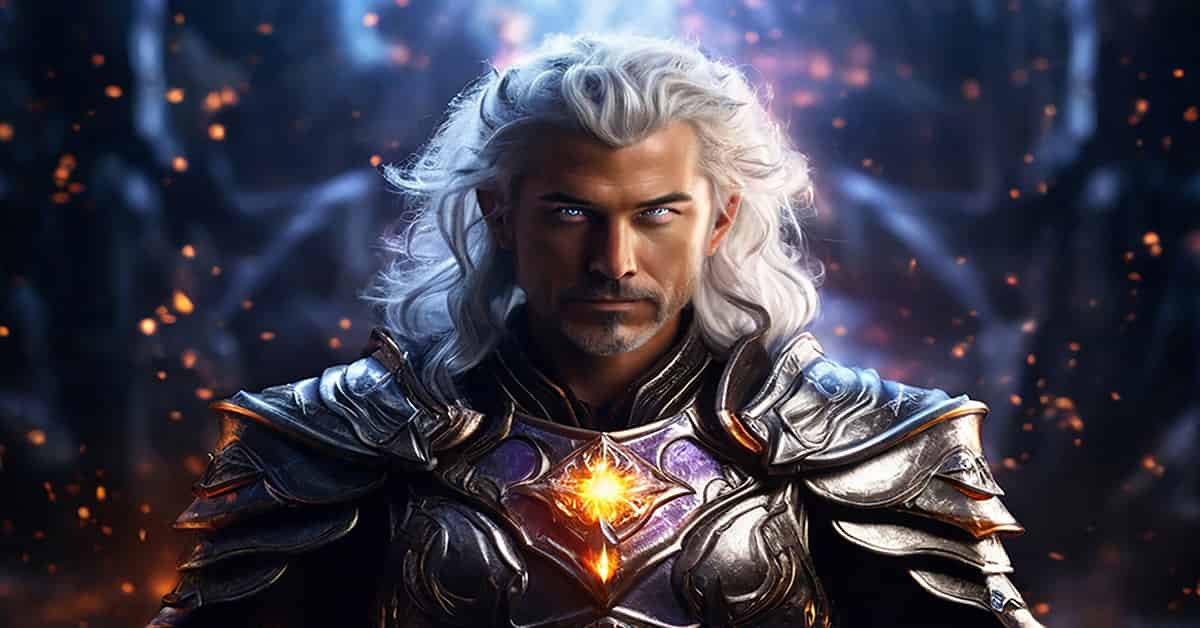
    A silver-armored sorcerer with medium-length silver hair and glowing silver eyes stands confidently, a yellow orb on his chest radiating light. Behind him, embers rise in the air. This fantasy character portrait showcases the power of creating AI and the vivid possibilities of generative AI in visual storytelling.

    Examples of Gen AI

    Generative AI is already reshaping many industries and applications:

    • Text Generation: Tools like CHATGPT assist users in drafting emails, writing code, generating ideas, or even creating entire articles and stories with natural, human-like language.
    • Image Creation: AI models such as LEONARDO AI and MIDJOURNEY AI generate unique images from simple textual descriptions, empowering artists, designers, and marketers with fresh visual content.
    • Music Composition: AI driven music platforms can compose new pieces or inspire musicians by suggesting melodies and harmonies.
    • Healthcare: In pharmaceutical research, gen AI accelerates drug discovery by simulating molecular structures and predicting their interactions, speeding up development cycles.
    • Gaming and Entertainment: AI generated virtual worlds and characters enable richer, more immersive experiences.

    These examples highlight generative AI’s role as a creative collaborator, enhancing human potential across domains.

    Gen AI vs. Machine Learning:

    Charting the Realms of Generative AI

    While generative AI and machine learning (ML) both fall under the broad umbrella of artificial intelligence, they serve different purposes:

    • Machine Learning: ML algorithms focus on learning from data to identify patterns and make predictions. Examples include speech-to-text transcription, spam filtering, or image recognition. Machine learning focuses on predicting outcomes by answering questions such as, “What is most likely to occur next?” by extrapolating from historical data.
    • Generative AI: Going beyond prediction, gen AI synthesizes new content by understanding and reimagining the data it has learned from. Instead of asking “What will happen?” it asks “What can I create?” This distinction marks gen AI as a more dynamic and creative force within AI.

    Put simply, machine learning acts as the analytical engine, while generative AI serves as the creative artist.

    Complementary Roles: Traditional AI and Generative AI Working Together

    Although they differ, traditional AI and generative AI function as complementary technologies rather than competitors. Traditional AI excels in scenarios where accuracy, consistency, and efficiency are paramount—for example, fraud detection in finance, supply chain optimization, or managing customer service automation. Meanwhile, gen AI excels in creative and adaptive domains, including content creation, design, storytelling, and virtual simulations.

    More and more, hybrid AI systems are being developed that blend the dependability of traditional AI with the inventive capabilities of gen AI. These integrated approaches enable smarter, more versatile solutions, blending precision with innovation to solve complex problems and enhance user experiences.

    Understanding generative AI vs traditional AI helps creators choose the right tools when building AI powered art and fantasy AI art experiences.

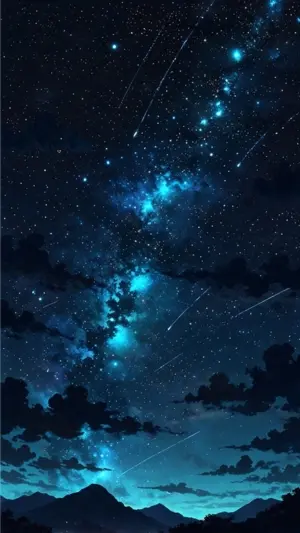
    Dreamlike AI generated night sky with stars and cosmic light evoking imagination and creative artificial intelligence.

    Check out our content on:

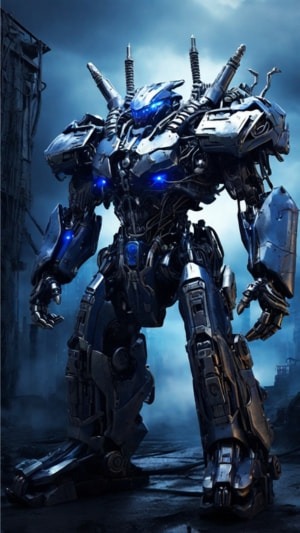
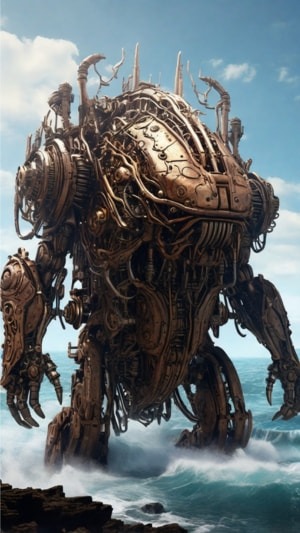
    AI generated mechanical golem standing in a surreal landscape representing the future of creating AI driven worlds.

    Looking Ahead: The Future of Creating AI

    The AI landscape is undergoing rapid transformation as the latest AI tools become more powerful and accessible. The line between traditional rule-based AI and gen AI is becoming increasingly blurred, unlocking unprecedented opportunities across industries—from healthcare and finance to entertainment and education.

    For professionals engaging with AI—whether developers, content creators, or strategists—grasping the nuances between these AI paradigms is essential. Embracing both traditional AI’s strengths and generative AI’s creative potential offers a pathway to the future where machines do more than just follow instructions. They imagine, innovate, and collaborate with us to expand the frontiers of possibility.

    Frequently Asked Questions

    Q: What’s the difference between Generative AI and Traditional AI when creating AI content?

    A: When creating content, generative AI produces original images, text, and animations, while traditional AI focuses on analyzing data, predicting outcomes, and optimizing existing systems.

    Q: What is fantasy AI art?

    A: Fantasy AI art refers to artwork created with artificial intelligence that visualizes imaginary worlds, magical creatures, mythic characters, and surreal environments. Artists and creators use AI models to generate fantasy scenes, character concepts, and visual storytelling elements that would be difficult or time-consuming to create by hand alone.

    Discover expert insights, powerful comparisons, and innovative tools designed to help you understand and harness the future of creating AI driven solutions.