
Tap to expand on smaller devices.
So… as you can probably tell by my other blogs (and Tiktok), that I’m a little bit obsessed with mermaids. They’re actually one of the hardest subjects I’ve tested in AI animation, which is exactly why I keep coming back to them. Hair movement, underwater lighting, tails, emotional expressions, bubbles, swimming, consistency between scenes… AI struggles with all of it.
Weirdly, that makes mermaids one of the best stress tests for learning what these tools can actually handle. Some generations come out beautifully cinematic. Others look like the AI had a complete emotional breakdown halfway through rendering.
Getting believable tails, hands, underwater movement, and facial consistency has taken way more experimentation than I ever expected, but honestly… that’s been part of the fun.
How to create consistent AI characters is still one of the hardest parts of AI animation in 2026. Generating one beautiful image is easy. The real challenge begins when you want the same character to appear across multiple scenes, emotional expressions, camera angles, and animations without them transforming into a completely different person every generation.
That problem becomes even more obvious when you are trying to build an actual story series instead of random standalone images.
I’ve been experimenting heavily with AI character animation workflows while developing an underwater Mermaid Drama project, and over time I realized something important: AI tools are still unpredictable.
Some scenes come out beautifully cinematic. Other times your character suddenly zooms aggressively into the camera like they’re having a complete emotional breakdown for no reason. Facial expressions drift, lighting changes drastically, proportions mutate, or the animation engine decides your calm emotional scene should suddenly become an action movie. Other times it’s the opposite. You want dynamic movement and instead get bizarre rotating-head poltergeist strangeness straight out of a nightmare.
Because of that, I stopped trying to force AI to do everything at once.
Instead, I built a more controlled AI character consistency workflow that focuses on:
- stable characters
- simpler scenes
- controlled movement
- cleaner environments
- cinematic editing afterward
That workflow has been giving me much more reliable results for how to create consistent AI characters across multiple scenes and emotional expressions.
Full Disclosure:
Parts of this blog post were written with the help of AI, but it was also refined with my own experience, personal voice, and hands-on testing. I also checked the content for plagiarism to make sure the explanations and structure were fully my own.
What This Guide Covers
In this guide, I’ll break down the workflow I currently use to create more consistent AI characters for storytelling and animation projects. I’ll cover:
- maintaining recurring AI characters across scenes
- reducing “AI slop” and unstable generations
- creating reusable AI animation clips
- using VideoExpress, Nano Banana, Kling, and CapCut together
- simplifying scenes for better consistency
- improving emotional pacing and cinematic editing
- saving AI credits with a more controlled workflow
- building AI storytelling projects with recurring characters
I’ll also share some of the unexpected problems I ran into while building my Mermaid Drama project, including why underwater bubbles completely broke my animation loops.
Why Character Consistency in AI Animation Matters
One thing I realized very quickly while building my Mermaid Drama project is that audiences notice character inconsistency immediately, even if they don’t consciously think about it. If a character suddenly looks different every scene, the illusion starts breaking apart. The emotional connection weakens, scenes stop feeling connected, and recurring characters become harder to care about because they no longer feel like the same person.
That’s a huge problem for AI storytelling.
I need my recurring characters to feel recognizable from scene to scene while still being expressive and emotional. The challenge is that AI animation systems still struggle heavily with maintaining stability once scenes become too complex.
The moment creators start pushing AI toward:
- complicated movement
- chaotic environments
- dramatic camera motion
- aggressive scene changes
…the results can start becoming wildly unstable.
Sometimes the character still technically resembles itself, but small details begin drifting:
- facial structure subtly changes
- lighting shifts unpredictably
- proportions mutate
- expressions become exaggerated
- movement becomes unnatural
And once enough of those problems stack together, the scene starts drifting into full AI slop territory.
That’s one of the biggest reasons I started simplifying my workflow.
Instead of trying to force AI to generate fully cinematic scenes perfectly in a single pass, I focus more on:
- cleaner environments
- stronger compositions
- controlled movement
- subtle animation
Then I build the cinematic energy later in CapCut using zooms, positioning, transitions, timing, music, and pacing.
I also realized that simpler clips are much more flexible long-term. If a scene has cleaner framing and fewer environmental distractions, it becomes dramatically easier to:
- reuse later
- reverse or crop differently
- reposition or zoom into
- repurpose across multiple scenes
That flexibility becomes incredibly valuable when working with AI animation because strong generations can still feel unpredictable, and credit-based workflows become expensive fast.
Ironically, simplifying scenes actually gave me more creative freedom later during editing. It also helped reduce many of the instability problems that still appear in current AI animation workflows today.
AI Animation Workflow (The Tools I Use and Love)
Affiliate Link Disclosure:
This article includes affiliate links. When you make a purchase using one of those links, I may earn a small commission. There’s no extra cost to you, and I only recommend software I actively use and trust.
Full Disclosure:
https://www.fantasyfusionai.com/affiliate-link-disclosure/
👉 Try FlexClip
https://www.fantasyfusionai.com/go/flexclipai
👉 Try VideoExpress AI
https://www.fantasyfusionai.com/go/videoexpress
👉 Try CapCut
https://www.fantasyfusionai.com/go/capcut
My Current AI Animation Workflow for Character Consistency
After testing multiple tools and workflows, this is currently the setup that works best for me.
And honestly, the biggest lesson I learned is this:
Trying to force one AI tool to do absolutely everything usually creates worse results.
Instead, I now use different tools for different stages of the process.
Step 1: How to Create Consistent AI Characters with VideoExpress
The first part of my workflow actually starts in VideoExpress.
This is where I experiment with the character itself:
- personality
- proportions
- emotional tone
- style
- overall vibe
One reason I like starting here is because I don’t want to waste expensive AI credits while I’m still figuring out the character design.
That experimentation phase matters a lot creatively.
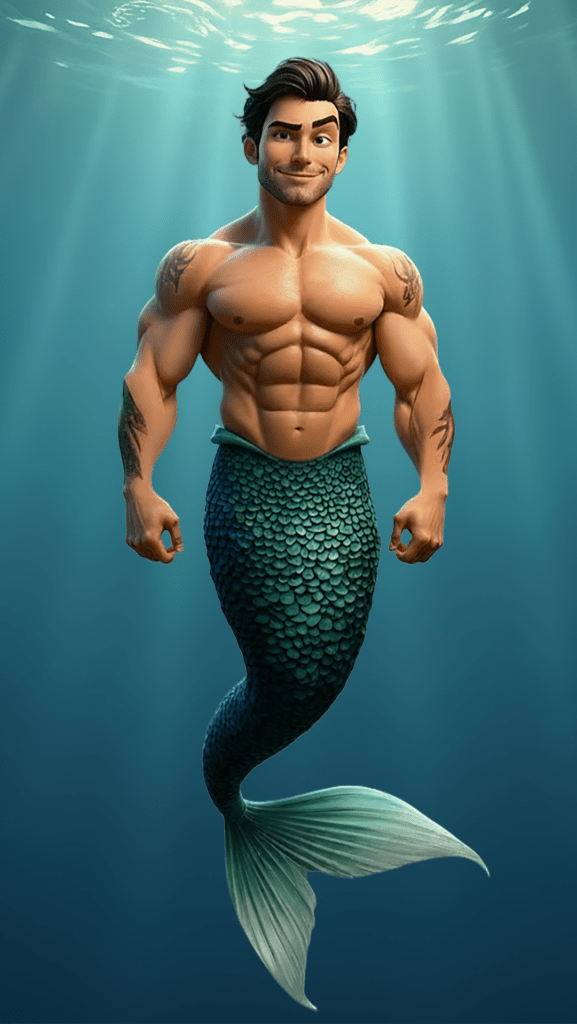
And honestly, VideoExpress handles Pixar-style characters surprisingly well.
That became really important for my Mermaid Drama project because Pixar-style characters rely heavily on:
- emotional readability
- facial softness
- expressive eyes
- recognizable silhouettes
- clean stylized proportions
While experimenting, I might generate:
- multiple hairstyles
- different emotional expressions
- alternate outfit designs
- different lighting moods
- facial structure variations
This allows me to refine the character before moving into more consistency-focused tools later.
It’s basically my visual ideation stage.
And because I’m not constantly burning premium credits during experimentation, it becomes much easier to creatively explore different character directions.
Step 2: Nano Banana for AI Character Consistency Workflow
Once the character feels finalized, that’s when Nano Banana inside FlexClip becomes incredibly useful. Right now, Nano Banana is one of the strongest tools I’ve personally found for maintaining AI character visual consistency across multiple scenes.
One reason I like FlexClip overall is because the membership gives me access to multiple AI tools and workflows in one place. I can experiment with different systems without constantly jumping between subscriptions and websites. That flexibility matters because AI tools evolve incredibly quickly.
Nano Banana has been especially useful because it allows multiple reference uploads. I can upload up to four reference images to help reinforce:
- facial structure and expressions
- proportions
- hairstyles
- color palettes
- clothing details
- emotional consistency
This became extremely helpful while building underwater scenes for my Mermaid Drama project.
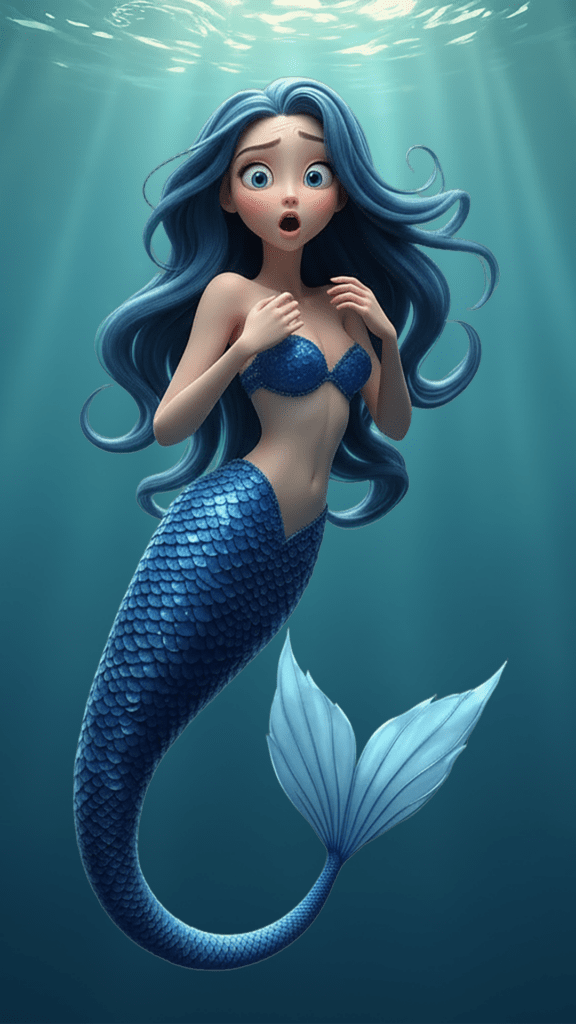
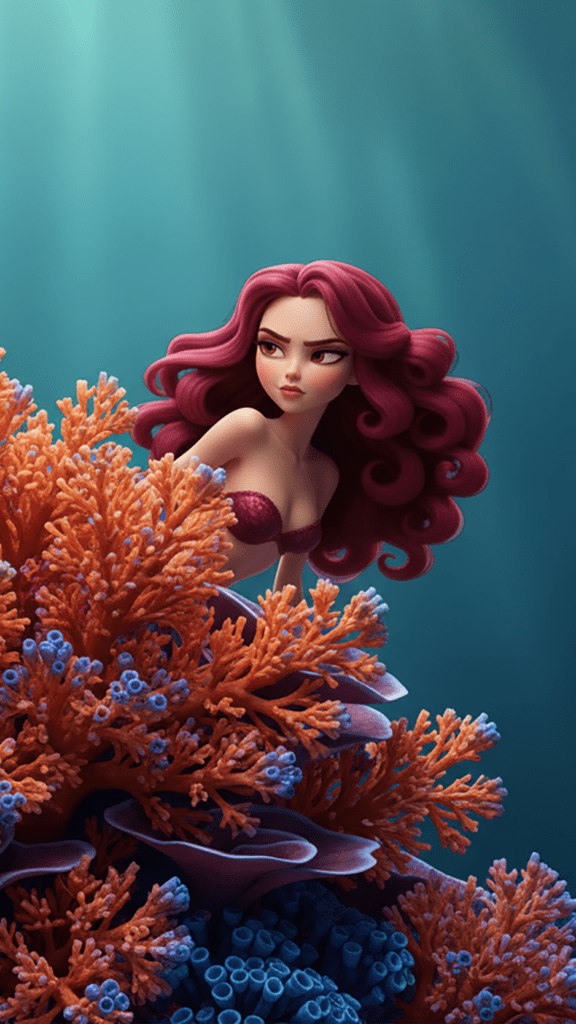
Happy
Sad
Angry
For example:
- one image might establish the character
- another might establish the underwater environment
- another might reinforce lighting style
- another might reinforce facial consistency
That combination dramatically improves consistency compared to relying on a single prompt alone.
And honestly, the pricing is surprisingly reasonable compared to many AI generation systems. At roughly 4 credits per generation, it’s one of the more affordable options I’ve found for creating consistent AI character design workflows.
Why I Started Simplifying My AI Animation Workflow
One unexpected lesson I learned while working on my Mermaid Drama project involved underwater bubbles. At first, I added floating bubbles everywhere because visually they looked cinematic and immersive. Then I started reversing clips for storytelling purposes.
Huge mistake.
If bubbles naturally float upward, reversing the clip suddenly makes them move downward, which instantly breaks immersion. That became especially obvious while trying to create reusable underwater scenes and seamless animation loops.
It also taught me something important about AI animation workflows:
Sometimes the best workflow decisions happen after generation, not during it.
Because good AI animation clips can be difficult to reproduce consistently, even a single great 8-second clip can become incredibly valuable. If I generate a scene with strong emotional timing, smooth movement, and cinematic framing, I want as much flexibility as possible later during editing.
For example, maybe the AI creates the perfect shot of a mermaid swimming in from the left side of the screen, but later I realize the story works better with her entering from the right.
Reversed clip – could still edit part of the clip to work
Reversed clip – bubbles going down instead of up
Reversed clip – the swimming looks strange
Instead of throwing away the clip, I can:
- reverse the footage
- crop it differently
- zoom into the character
- reposition it in CapCut
That’s one of the biggest reasons I started reducing unnecessary environmental effects and background complexity in many scenes. The more chaotic and overly specific a scene becomes, the harder it is to reuse effectively later in the workflow.
Why CapCut Became a Huge Part of My Workflow
Instead of relying on AI to generate complicated cinematic movement perfectly, I now create much of the cinematic feeling afterward inside CapCut.
This honestly became one of the biggest improvements in my AI animation workflow.
I use CapCut heavily because it gives me much more control over pacing, transitions, music, captions, effects, zooms, positioning, and overall scene timing. Instead of forcing AI to perfectly handle dramatic zooms, complex pans, emotional timing, and cinematic framing on its own, I keep the original AI animation simpler and cleaner, then build the cinematic energy later during editing.
For example, I can manually create:
- subtle zoom-ins
- controlled pans
- dramatic cuts
- pacing adjustments
- emotional timing
- captions are easy to create
Why I Still Love VideoExpress
Even though I use Nano Banana heavily for consistency, I still use VideoExpress constantly for animation. One reason I love VideoExpress is because I can animate simple scenes without constantly burning credits, and that matters a lot when experimenting. AI creation becomes frustrating very quickly when every small test costs money.
VideoExpress allows me to:
- test subtle animations
- experiment with scene movement
- animate emotional expressions
- create atmospheric motion
- iterate quickly
…without feeling like every attempt is draining a credit balance.
For simple cinematic scenes, it works surprisingly well, especially for slow movement, emotional closeups, atmospheric storytelling, and subtle environmental motion. I’ve found it performs best when I let the source image do most of the heavy lifting. Instead of asking AI to generate massive cinematic action sequences, I focus more on stable compositions, strong character design, emotional framing, and subtle movement. That approach has been creating much cleaner and more consistent results overall.
The Biggest Problem With AI Character Animation Right Now
Lighting consistency is still one of the biggest weaknesses in AI animation workflows. Even when the character itself stays relatively consistent, the lighting can suddenly change dramatically between scenes. I especially notice this in VideoExpress. Sometimes scenes become overly bright, highlights suddenly blow out, underwater scenes lose their mood entirely, or colors shift in unexpected ways.
The character may still technically remain recognizable, but the emotional atmosphere changes too much. That’s why maintaining AI animation consistency is not just about the character itself. These smaller visual differences affect storytelling much more than most people realize. It involves:
- lighting
- mood
- atmosphere
- composition
- camera behaviour
Why Workflow Matters More Than Individual Tools
One thing I’ve learned after testing many AI systems is this:
There probably isn’t one perfect AI tool yet.
The best results usually come from combining specialized tools together instead of forcing one platform to handle everything perfectly.
For me, the workflow currently looks like this:
My AI Character Consistency for Storytelling Workflow:
- Create and experiment with characters in VideoExpress
- Refine Pixar-style proportions and emotional tone
- Move finalized characters into Nano Banana
- Use multiple reference images to maintain consistency
- Remove unnecessary particles for cleaner animation loops
- Animate subtle motion scenes in VideoExpress
- Use Kling for more dynamic cinematic scenes and movement
- Edit pacing, zooms, positioning, captions, music, and transitions in CapCut
These smaller visual differences affect storytelling much more. Each tool handles a different part of the workflow, which has been much more effective for me than trying to force a single AI platform to handle everything perfectly.
I’ve also experimented with newer systems like Agent Opus that attempt to generate entire movies automatically from prompts. And honestly, if someone wants a fast, highly automated workflow, tools like that absolutely exist now. But in my experience, those systems still struggle heavily with consistency, creative control, emotional pacing, editing flexibility, and scene refinement. They also tend to burn through credits extremely quickly.
I actually tested one Mermaid Drama scene inside Agent Opus, and it turned into complete AI slop. One moment the character had normal feet, then she became a mermaid, then somehow she had a mermaid tail with feet attached to it like some cursed underwater creature.
That experience reinforced something important for me: more automation does not always create better storytelling.
Personally, I’m much more interested in affordable AI animation workflows where I can still reuse scenes, refine clips manually, maintain character consistency, control pacing myself, and avoid wasting credits every time I experiment. Right now, that hybrid workflow approach has been giving me much cleaner and more reliable results overall.han most people realize.
Final Thoughts on Creating Consistent AI Characters
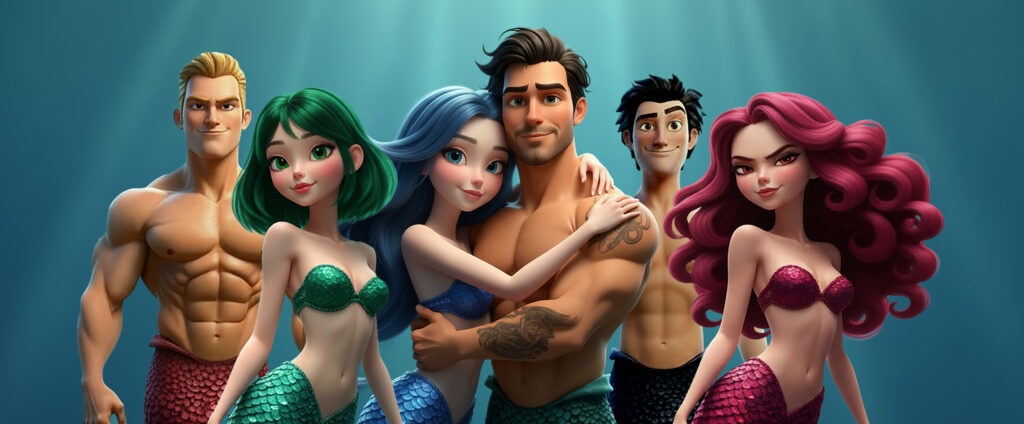
Creating consistent AI characters in 2026 is still challenging, but workflows are improving quickly. In my experience, the best results come from combining strong reference images, controlled scene generation, subtle animation, thoughtful editing, and realistic expectations.
For my own workflow, starting with VideoExpress for experimentation, then moving into Nano Banana for consistency, has become one of the strongest combinations I’ve found for maintaining recurring AI characters across multiple scenes and emotional expressions. Combined with CapCut for cinematic editing and pacing, it creates a workflow that feels practical, affordable, and flexible enough for ongoing storytelling projects like my Mermaid Drama series.
AI animation is still unpredictable sometimes. Characters still occasionally lose their minds for no reason. But with the right workflow and a little restraint, creating believable recurring AI characters is becoming far more achievable than it was even a year ago.
More AI Image and Animation Tutorials
If you want to go deeper into AI image creation and animation, these guides expand on the techniques used in this article:
How to Craft Picture Prompts That Create Powerful AI Images (2026)
Learn how to structure prompts that generate cinematic AI art, detailed characters, and immersive fantasy environments.
How to Animate AI Images: Step-by-Step Beginner Guide (2026)
Learn how to turn static images into cinematic animated scenes using modern AI animation tools.
How Generative AI Works: The Powerful Shift in AI Image Creation
Understand how AI models interpret prompts and transform text into visual images.
Best AI Writing Software for Fantasy & Creative Writing (2026)
Explore how AI writing tools can help spark character ideas and expand your fantasy stories.
Best AI for Worldbuilding in 2026: 7 Tools for Deep Lore & Consistency
Find the best AI tools for Worldbuilding & Deep Lore storytelling.
These guides walk through the creative side of building worlds, crafting prompts, and transforming AI images into cinematic visual stories.
Frequently Asked Questions About AI Character Consistency
Q: Why do AI characters change between scenes?
A: Most AI animation systems still struggle with consistency when scenes become too complex. Changes in lighting, camera angles, movement, emotional intensity, and environments can all cause facial features, proportions, and expressions to drift between generations.
Q: What is the best way to maintain AI character consistency?
A: Using multiple reference images, cleaner scene compositions, controlled movement, and simpler environments usually creates more stable results. I’ve also found that combining specialized tools together works much better than relying on one AI platform to handle everything perfectly.
Q: Why do simpler scenes often create better AI animation?
A: The more visual chaos you introduce into a scene, the more opportunities the AI has to lose consistency. Simpler scenes with cleaner backgrounds, controlled framing, and subtle movement tend to create more reusable and stable animation clips.
Q: Can AI create recurring characters for storytelling projects?
A: Yes, but it still requires workflow management. Maintaining recurring AI characters across multiple scenes usually involves using consistent references, stable compositions, controlled animation, and manual editing to keep characters recognizable over time.
Q: Why does lighting change so much in AI animation?
A: Lighting consistency is still one of the biggest weaknesses in many AI animation systems. Even if the character remains recognizable, lighting, mood, highlights, and color grading can shift dramatically between scenes, which affects emotional continuity.
Q: Why do creators use CapCut with AI animation workflows?
A: A huge reason I use CapCut is because I’d rather control the cinematic pacing myself instead of hoping the AI gets it right. Things like zooms, transitions, music timing, captions, and emotional pacing are usually much easier to shape manually during editing.Instead of forcing AI to perfectly generate cinematic movement, creators can build much of the cinematic feeling manually during editing.
Q: What causes “AI slop” in animation?
A: AI slop usually happens when the AI becomes overloaded with too much complexity at once. Aggressive camera movement, chaotic environments, exaggerated emotions, complicated motion, and inconsistent prompts can all cause scenes to become unstable or visually broken.
Q: Are fully automated AI movie generators worth using?
A: Some newer AI systems can generate entire scenes or movies automatically, but they still often struggle with consistency, emotional pacing, editing flexibility, and creative control. They can also become extremely expensive because of heavy credit usage.
Q: Why are reusable AI animation clips important?
A: Good AI animation clips can be difficult to reproduce consistently. A strong clip can often be reused, reversed, cropped, reframed, or repurposed later during editing, which helps save time, credits, and production effort.
Q: What tools work best for AI character consistency?
A: Right now, I’ve personally had the best results combining tools together rather than relying on one system alone. My current workflow mainly uses VideoExpress for experimentation and animation, Nano Banana for consistency, Kling for more dynamic scenes, and CapCut for cinematic editing and pacing.
See the project in action on:
Ready to level up your picture prompts and writing with a little AI magic? Visit our homepage to explore tools, tips, and inspiration designed to help storytellers like you bring their worlds to life.


Leave a Reply